


Binary Coded Decimal BCD
Both Raju and Gopu are interested in knowing about BCD and its significance in digital techniques. Raju asked, “I am thoroughly confused about Binary Coded Decimal – BCD information in my class lectures and as such, I want an obvious explanation about BCD and more over how it is distinct from Binary systems?”
I told them to follow this blog article for clarity and to get basic knowledge on BCD. This will definitely clear your doubts and ensure to get correct information on BCD and its related subjects”. I continued my lecture as follows, and I am sure one can get a thorough knowledge of BCD.
I have planned to present the content on this topic with the following subtopics for better understanding of the subject matter and for quick reference whenever required at a future time.
- Introduction
- What is BCD – Binary Coded Decimal?
- Data Representation
- Application of BCD
- Knowing BCD
- BCD coding types
- Features of BCD
- Uses of BCD in digital electronics
- Advantages and disadvantages of BCD
- Conclusion
Both the youngsters showed keen interest in knowing the Binary Coded Decimal (BCD) as it unfolds paragraph by paragraph.
Introduction
As the decimal number is so familiar to all it is easy to use. As such, the binary system is less convenient. The Digital engineers recognise this problem and develop a special form of binary code that is more compatible with the decimal system. This special code is known as Binary Coded Decimal (BCD).
This code uses the standard 8421 binary weighted code for decimal numbers from zero to 9. A 4-bit word can actually represent decimal numbers up to 15. But in this case, the decimal equivalents from 10 to 15 are considered invalid and therefore ignored. To carry out to next set of four-bit binary word is given on the 10th count of the previous number as done in the decimal system.
What is BCD – Binary Coded Decimal?
At the outset, we should know what the letters BCD stand for. Then only can we thoroughly and completely understand digital electronics.
BCD is commonly referred to as Binary Coded Decimal. The first letter of the three words combined to form BCD.
Data representation
There are two basic ways in which digital numbers are transmitted, processed or manipulated. These are known as series and parallel. In the series method, each bit of a binary word is processed or transmitted serially, one after another, one at a time. The primary advantage is that this system requires only a single line or channel for data transmission from one place to another. It is therefore simplest and economical, but it takes a longer processing time.
In the parallel method, all bits of Binary words are processed simultaneously. This system requires as many separate channels or wires as the number of bits in the word. The transmission is therefore more complex, but fast.
As we have seen earlier, we need to represent decimal numbers in binary form. As such, BCD is a digital encoding method used to represent binary numbers. Contrary to standard binary representation, in which a number is converted fully into binary, BCD represents each decimal digit separately as a 4-bit binary equivalent.
Applications of BCD
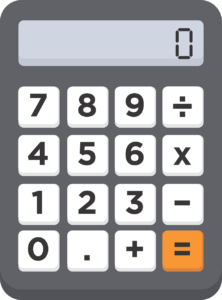
Wherever numerical data has to be displayed digitally, BCD is used as its application. We can find BCD is used in day-to-day life in calculators, digital clocks and digital meters. There are many such applications, but to mention a few, these are the items.
Knowing BCD
BCD is a weighted binary system. It means each digit is represented by a fixed number of bits. 4-bit BCD is the most common form, in which each decimal digit, say 0-9, is expressed in a 4-bit binary format.
Let us see some examples of BCD representations below.
| Decimal Number | BCD Representation |
| 0 | 0000 |
| 1 | 0001 |
| 2 | 0010 |
| 3 | 0011 |
| 4 | 0100 |
| 5 | 0101 |
| 6 | 0110 |
| 7 | 0111 |
| 8 | 1000 |
| 9 | 1001 |
Thus, 0 is represented as 0000,
1 is represented as 0001 and so on.
It is important for you to observe that the digital numbers are appropriately represented in a 4-bit binary number format.
But in the case of decimal numbers larger than 9, they are converted suitably and represented in a different form.
As an example
Decimal number 25 is represented as follows in BCD. Decimal number 25 contains two digits, namely 2 and 5. As such, each digit has to be converted separately as shown below. We know from the table above, 2 is represented as 0010 and 5 is represented as 0101. Putting it together in BCD form, it is 0010 0101. Hence, 25 is represented in BCD form thus:
25=0010 0101
BCD coding types
Now we should learn about different BCD coding types as it gives clarity and distinction of the types.
There are two types of coding classified as follows:
Unpacked BCD
Packed BCD
Unpacked BCD
In the unpacked BCD, every decimal digit is stored in a separate byte. They are specially used in applications requiring easy digit manipulation.
Packed BCD
In the packed BCD, a single byte contains two BCD digits. It helps in storage efficiency of data. Hence, it is better than unpacked BCD.
Now we will see some examples of BCD addition.
A good knowledge of BCD addition is important when we come across addition requirements in digital electronics.
BCD addition follows decimal rules along with an extra step for correction if the sum exceeds 1001 (i.e., 9 in decimal). The illustration is shown below in a table form for easy understanding and clarity.
| BCD Number 1 | BCD Number 2 | Sum (Raw Binary) | Correction Applied | Final BCD Sum |
| 0100 (4) | 0101 (5) | 1001 (9) | No correction | 1001 (9) |
| 1001 (9) | 0001 (1) | 1010 (10) | +0110 | 0001 0000 (10) |
Features of BCD We have come across 4 types of features of BCD. They are explained as below.
Conversion: Easy Conversion – Decimal numbers can be directly converted into BCD without any complex binary arithmetic.
Readability: Human Readability – Since each decimal digit is independently represented, debugging and visualisation are simpler.
Uses: Used in Display Devices – BCD is ideal for applications requiring numerical display on digital screens.
Storage: Higher Storage Requirement – BCD uses more bits than the standard binary representation.
Comparison of BCD and Binary – BCD Vs Binary
The three important features, namely, storage, processing and application, are compared with BCD and Binary. The values are shown in the table given below.
| Feature | BCD | Binary |
| Storage | More bits | More efficient |
| Processing | Slower due to correction | Faster operation |
| Application | Preferred for display devices | Preferred for computational use |
Use of BCD in Digital Electronics
As said earlier, BCD is widely used in digital electronics. Though numerous applications exist, we give below the widely used applications for simplicity and familiarity.
Seven-segment displays
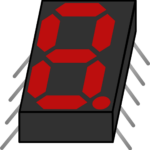
- Calculators most familiar and widely used application is in Calculators. BCD is used in popular seven-segment displays.
- BCD in Digital Clocks
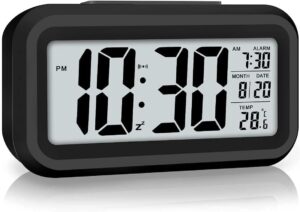
Hours and minutes of digital clocks are represented using BCD. This helps its conversion and display output more easily.
- BCD in Seven-Segment Displays
You are familiar with 7-segment displays, as you might have seen and probably used in calculators more frequently and in digital clocks. These seven-segment displays as commonly called, take BCD input and convert it into appropriate segment control signals. - BCD in Microcontrollers and Digital Counters
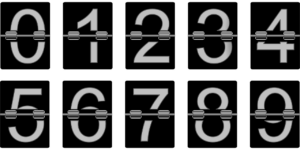
The counters and microcontrollers normally process their data in BCD format when they are fed with numerical data to exhibit appropriate numbers.
Illustrations and Tables
We will see some more examples of BCD equivalents for the decimal numbers using the decimal to BCD conversion table. Decimal BCD equivalent
| Decimal | BCD Equivalent |
| 10 | 0001 0000 |
| 23 | 0010 0011 |
| 57 | 0101 0111 |
Example:
Let us see one more example of BCD addition, namely 46 and 35. so BCD addition of 46+35 can be represented as follows. Now convert the numbers 46 and 35 into BCD.
| BCD Number 1 | BCD Number 2 | Raw Sum in Binary | Apply correction | Final BCD sum |
| 0100 0110 | 0011 0101 | 0111 1011 | since 1011 > 1001, add 6 | 1000 0001 (81 in BCD) |
Advantages and Disadvantages of BCD
Now we shall discuss some of the important advantages and disadvantages of BCD.
- Advantages
Conversion: It is easy and simple to convert decimal to BCD.
Applications: BCD is useful for display-based applications.
Errors: High probability of reducing or minimising Human errors in BCD.
- Disadvantages
Memory: BCD consumes more memory when compared to binary.
Correction: Correction has to be carried out during arithmetic operations.
Speed: Processing speed is very slow when compared to binary.
Conclusion
Binary Coded Decimal (BCD) is a widely used number representation system in digital electronics. This is more prone to applications requiring easy conversion between binary and decimal. Even though it has some disadvantages in terms of storage and processing speed, its benefits or uses in readability and display applications make it essential in digital clocks, calculators, and microcontrollers, etc. As we know, BCD is a vital encoding scheme in embedded systems and in digital circuits. As such, BCD is making it a fundamental concept in digital electronics.
Both Raju and Gopu opined that they learnt the BCD easily without any doubt as the explanation was simple and carried a lot of illustrations. Hope you too will appreciate the lesson content and learn the basics of BCD quickly without any doubt.